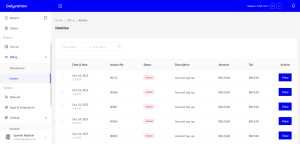
You will have two invoices which are shipment invoice and top up invoice. You will get shipment invoice right after you make a shipment and top up invoice after you top up your account.
To get the shipment invoice, you may click the ‘Shipment’ button in your account and then click at the shipment invoice icon and top-up invoice accordingly at view invoice.
For orders made before 1 July, customer can still print the invoice by going to Orders > Action > Print Invoice. after 1 July using credits topped up after that date, the invoice will not be available per order. Instead, customer can find it under Billing > Invoice > check the related top-up in the Transaction tab > Action > View